What Is PKI and Why Every Organization (and Every AI System) Needs It
Public Key Infrastructure, almost universally shortened to PKI, is one of those terms that gets used constantly in security circles and rarely explained plainly. Ask ten IT professionals to define it in one sentence and you will likely get ten different answers, each technically correct and each missing part of the picture. This article gives PKI the plain-language explanation it deserves, and makes the case for why no organization, regardless of size or industry, can safely operate without it today.
Defining PKI in Plain Terms
PKI is the entire ecosystem of policies, roles, hardware, software, and procedures needed to create, distribute, manage, store, and revoke digital certificates. It is not a single product you buy off a shelf. It is a system, made up of interlocking parts, that exists to answer two questions at scale: who are you, and can I trust the key you are presenting to me?
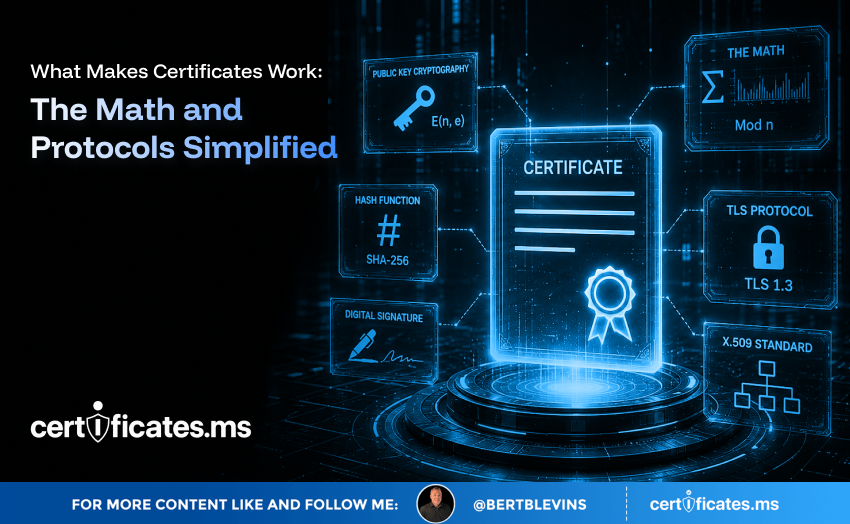
The ‘public key’ half of the name refers to asymmetric cryptography, where every entity holds a mathematically linked pair of keys: one public, freely shared, and one private, closely guarded. Data encrypted with the public key can only be decrypted with the matching private key, and signatures created with the private key can be verified with the public key. PKI is the infrastructure that makes it possible to trust whose public key you are actually looking at.
The Building Blocks of a PKI
A functioning PKI has several standard components. The Certificate Authority issues and signs certificates, acting as the trusted anchor of the whole system. The Registration Authority, which may be a separate entity or a function within the CA, handles the verification work of confirming that a certificate requester is who they claim to be before issuance happens. The certificate repository stores issued certificates so they can be looked up and verified. The Certificate Revocation List and the Online Certificate Status Protocol, or OCSP, provide mechanisms for checking whether a previously issued certificate has since been invalidated.
Behind all of this sits key management: the generation, storage, rotation, and eventual destruction of the cryptographic keys themselves, frequently protected by dedicated hardware security modules for the most sensitive keys, such as those belonging to root and intermediate CAs.
Why Organizations Rely on PKI Every Day
PKI is the quiet backbone behind a surprising number of everyday business functions. Every HTTPS website connection depends on it. Corporate VPNs authenticate remote employees using client certificates issued through an internal PKI. Email systems use certificates for signing and encrypting sensitive messages. Software vendors sign their code so operating systems and users can verify it has not been tampered with since release. Employee badges, laptops, and even printers frequently carry certificates that authenticate them onto the corporate network.
Remove PKI from any of these processes and you remove the ability to trust the connection at all. That is not a hypothetical: organizations that neglect certificate management routinely experience outages when certificates expire unnoticed, taking down customer-facing services, internal tools, or automated integrations without warning.
The Business Risk of a Weak PKI Program
A poorly managed PKI is not a minor operational nuisance; it is a business risk with financial, reputational, and compliance consequences. Expired certificates cause outages at the worst possible moments, often during high-traffic periods when nobody is watching the expiration calendar. Certificates issued with excessive validity or overly broad trust create a larger attack surface, since a compromised key stays dangerous for longer. Shadow IT, where individual teams stand up their own certificates outside of any central process, creates blind spots that security teams cannot monitor or revoke quickly when something goes wrong.
Regulatory frameworks across finance, healthcare, and government increasingly require documented key management practices, and auditors have gotten considerably more specific about asking to see certificate inventories, rotation schedules, and revocation procedures rather than taking an organization’s word for it.
PKI and the Rise of Machine and AI Identities
The population of things needing a verifiable identity has exploded, and human employees are now a minority of it. Servers, containers, microservices, IoT sensors, and increasingly AI agents all need to prove who they are before they are allowed to act. An AI agent authorized to pull data from a finance system, trigger a workflow in an HR platform, or call a third-party API is, from a security architecture standpoint, just another identity that needs a credential, and certificates are frequently that credential.
This shift changes the scale PKI has to operate at. Where a company once managed a few hundred certificates for its public-facing websites, it may now be managing tens of thousands of short-lived certificates issued automatically to ephemeral workloads and AI-driven services that spin up and disappear within minutes. A PKI program designed around manual, human-paced processes simply cannot keep up with that volume, which is why automation has become a requirement rather than a convenience.
Getting Started With a Sound PKI Program
Organizations building or maturing a PKI program should start with an honest inventory: what certificates already exist, where they live, who owns them, and when they expire. From there, a clear policy should define validation levels for different use cases, acceptable key lengths and algorithms, and rotation schedules. Automation should be treated as a baseline requirement rather than an optional upgrade, particularly for any certificates issued to non-human identities. Finally, monitoring and alerting need to be built in from day one, so an approaching expiration triggers action long before it triggers an outage.
PKI is not glamorous work, and it rarely gets attention until something breaks. But it is the trust layer underneath nearly every secure digital interaction an organization has, human or machine, and treating it as optional infrastructure is a bet very few organizations can afford to lose.
The Countdown Is Already Running: 200 Days, 100 Days, 47 Days
Every certificate conversation in 2026 eventually arrives at the same clock, and it is worth closing on it here. The CA/Browser Forum’s Ballot SC-081v3 is not a proposal under discussion; it is an approved, already-in-motion schedule. Maximum public TLS certificate lifetimes fall from 398 days to 200 days on March 15, 2026. They fall again to 100 days on March 15, 2027. By March 15, 2029, they dropped to just 47 days, with domain validation itself needing to be re-proven roughly every 10 days.
Translate that into operational terms and the picture gets stark quickly. An organization currently renewing certificates a few times a year will be handling renewal events on the order of every couple of weeks by the end of this countdown, across every endpoint it operates. Manual tracking, calendar reminders, and a spreadsheet somebody checks once a month will not survive contact with that cadence. What has always been an occasional chore is becoming a continuous, automated operation, whether an organization plans for it or not.
A PKI program built for a once-a-year renewal cycle will not survive the shift to a few-week cycle; this is exactly why PKI governance and automation belong on the same roadmap.
The 200-day, 100-day, and 47-day milestones are not distant hypotheticals; the first has already arrived. Organizations that build the automation loop now, generating keys, vaulting them securely, brokering issuance across Certificate Authorities through APIs, and rebinding certificates to live endpoints without manual intervention, will meet each deadline without disruption. Organizations that wait will be rebuilding their certificate operations under deadline pressure, with far less room for error and far less time to get it right. The countdown is the call to action. The only real decision left is whether to automate on your own schedule, or on the CA/Browser Forum’s.