Programming with Certificates: Using OpenSSL in Python and PowerShell
Understanding certificates conceptually is one skill; actually manipulating them programmatically is another. This article walks through practical, code-level examples of working with certificates in two very different but widely used environments: Python, common in automation scripting and AI tooling, and PowerShell, the standard for Windows-centric infrastructure.
Why Programmatic Certificate Handling Matters
As certificate volume grows and renewal frequency increases, point-and-click certificate management through a GUI becomes impractical almost immediately. Scripting certificate generation, inspection, and validation is what makes automation pipelines possible in the first place, and both Python and PowerShell offer mature tooling for exactly this purpose, whether calling out to OpenSSL directly or using native cryptographic libraries.
Working With Certificates in Python
Python’s cryptography library has become the de facto standard for certificate work, offering a clean, well-documented interface for generating key pairs, building Certificate Signing Requests, and parsing existing certificates. A typical workflow generates an RSA or elliptic curve private key using the library’s built-in key generation functions, builds a CSR object populated with the desired subject name and Subject Alternative Names, and signs it with the private key before writing both the key and CSR out to disk in PEM format. For inspecting existing certificates, the same library can load a PEM or DER-encoded certificate and expose its subject, issuer, validity dates, and public key programmatically, which is exactly the building block behind most custom certificate monitoring and expiration-alerting scripts.
Python scripts calling out to the OpenSSL command line directly, using the subprocess module, remain common as well, particularly for teams with existing OpenSSL-based workflows they simply want to automate rather than fully rewrite using native libraries. Both approaches are valid; native libraries tend to be cleaner and safer for new automation, while subprocess calls to OpenSSL are often faster to bolt onto existing shell-script-based processes.
Working With Certificates in PowerShell
PowerShell offers deep native integration with Windows certificate stores through its PKI module, allowing administrators to generate self-signed certificates, request certificates from an internal Active Directory Certificate Services CA, and directly manipulate the local machine or user certificate stores without leaving the shell. Commands built around requesting and installing certificates integrate naturally with Windows-based automation, scheduled tasks, and configuration management tools already common in enterprise environments running Microsoft infrastructure.
PowerShell can also invoke OpenSSL directly when a task requires functionality outside the native Windows certificate cmdlets, such as generating a certificate in a format expected by a non-Windows system, or performing an operation the native PKI module does not directly support. Mixing both approaches, native PowerShell cmdlets for anything touching the Windows certificate store, and OpenSSL for cross-platform or format-specific tasks, is a common and practical pattern.
Building Monitoring and Alerting Scripts
A frequent real-world use case in both languages is writing a script that scans a list of endpoints or certificate files, extracts each certificate’s expiration date, and generates an alert if any certificate is approaching expiry within a defined threshold. This kind of lightweight, custom monitoring script is often the first piece of automation an organization builds, well before adopting a full certificate lifecycle management platform, and both Python and PowerShell make this a genuinely approachable task for anyone comfortable with basic scripting.
AI-Assisted Certificate Scripting
AI coding assistants have become a common way to accelerate writing these kinds of certificate automation scripts, helping generate boilerplate for CSR creation, expiration checking, or OpenSSL command construction far faster than writing it from scratch. As with any automation touching cryptographic key material, the private key itself should never be pasted into an AI chat interface or included in a prompt; the safe pattern is to let an AI assistant help write and refine the surrounding script logic while keeping actual key generation and handling confined to the local environment where the script runs.
The Countdown Is Already Running: 200 Days, 100 Days, 47 Days
Every certificate conversation in 2026 eventually arrives at the same clock, and it is worth closing on it here. The CA/Browser Forum’s Ballot SC-081v3 is not a proposal under discussion; it is an approved, already-in-motion schedule. Maximum public TLS certificate lifetimes fall from 398 days to 200 days on March 15, 2026. They fall again to 100 days on March 15, 2027. By March 15, 2029, they drop to just 47 days, with domain validation itself needing to be re-proven roughly every 10 days.
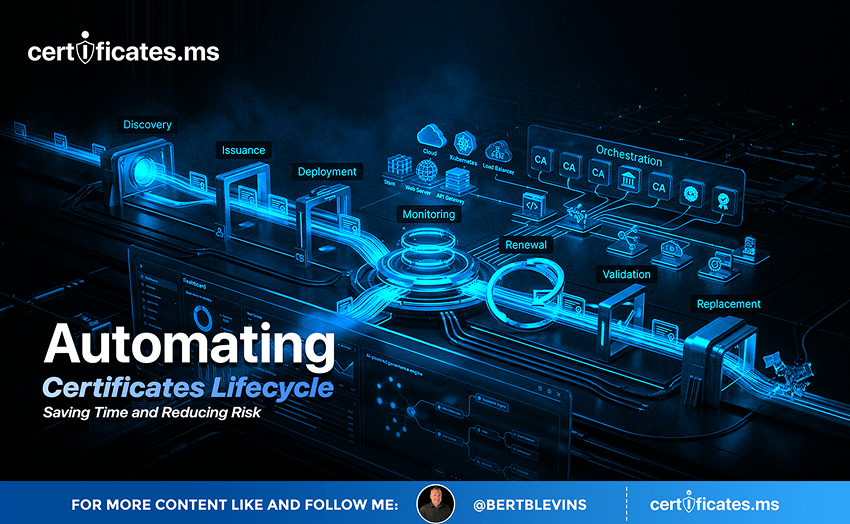
Translate that into operational terms and the picture gets stark quickly. An organization currently renewing certificates a few times a year will be handling renewal events on the order of every couple of weeks by the end of this countdown, across every endpoint it operates. Manual tracking, calendar reminders, and a spreadsheet somebody checks once a month will not survive contact with that cadence. What has always been an occasional chore is becoming a continuous, automated operation, whether an organization plans for it or not.
Scripts like the ones described above are exactly what organizations will need to lean on as manual renewal becomes impossible under the shrinking lifetime schedule below, since programmatic issuance and monitoring, not point-and-click tools, are what will actually keep pace with renewals every 47 days.
The 200-day, 100-day, and 47-day milestones are not distant hypotheticals; the first has already arrived. Organizations that build the automation loop now, generating keys, vaulting them securely, brokering issuance across Certificate Authorities through APIs, and rebinding certificates to live endpoints without manual intervention, will meet each deadline without disruption. Organizations that wait will be rebuilding their certificate operations under deadline pressure, with far less room for error and far less time to get it right. The countdown is the call to action. The only real decision left is whether to automate on your own schedule, or on the CA/Browser Forum’s.