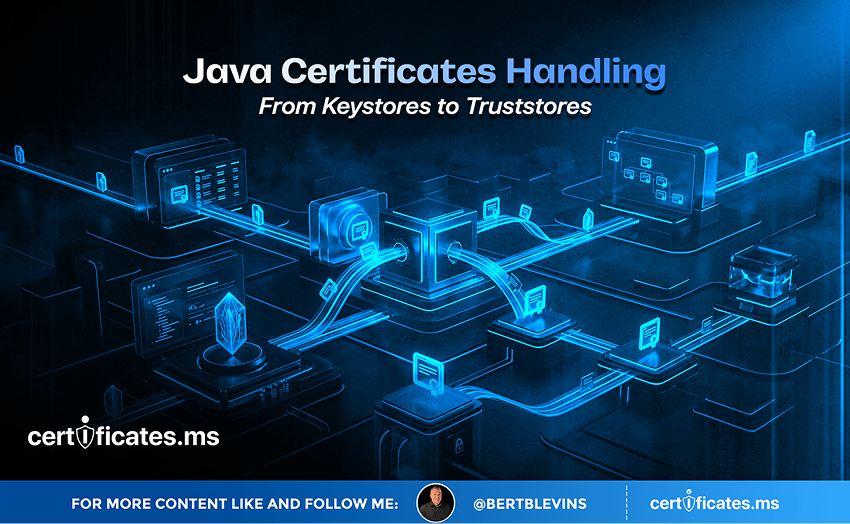
Java Certificate Handling: From Keystores to Truststores
Java’s approach to certificate management looks noticeably different from many other platforms, built around two related but distinct concepts: keystores and truststores. This distinction trips up plenty of developers new to the platform, and getting it wrong is a common source of TLS configuration errors in Java applications. This article breaks down exactly what each one does and how they fit into a working Java application.
Keystores and Truststores Serve Different Purposes
A keystore holds an entity’s own private keys and the certificates corresponding to them. It is what a Java application uses when it needs to prove its own identity, whether serving HTTPS traffic as a server or presenting a client certificate during mutual TLS authentication. A truststore, by contrast, holds the certificates, typically root and intermediate CA certificates, that the application trusts when verifying other parties’ identities. In plain terms, a keystore answers who am I, and a truststore answers who do I trust.
Working With the Java KeyStore Format
Java has historically used its own proprietary keystore format, JKS, though the industry-standard PKCS12 format is now the recommended and default choice for new deployments, offering better interoperability with tools outside the Java ecosystem. The keytool command-line utility, bundled with every Java installation, is the standard tool for creating keystores, importing certificates, generating CSRs, and inspecting existing keystore contents, and remains a core skill for anyone managing certificates in a Java environment.
Populating and Managing a Truststore
By default, Java ships with a system-wide truststore, commonly named cacerts, pre-populated with a broad set of publicly trusted root CA certificates, similar in spirit to the trusted root store maintained by a browser or operating system. Applications needing to trust an internal, private CA, common in enterprise environments running their own PKI, need that private root certificate imported into either the system truststore or a dedicated application-specific truststore, using the same keytool utility used for keystore management.
Common Java Certificate Errors and Their Causes
A large share of Java TLS errors trace back to a handful of recurring causes: an application’s truststore missing the CA certificate needed to validate a server it is connecting to, particularly common when connecting to internal services using a private CA; a keystore missing the full certificate chain, including intermediates, causing validation failures even though the end-entity certificate itself is valid; or an expired certificate inside a keystore that was never updated as part of a broader renewal process, since Java keystores do not automatically stay in sync with certificate files managed elsewhere on the system.
Automating Java Keystore Updates
Manually running keytool commands to update a keystore every renewal cycle does not scale any better in Java than manual certificate management does anywhere else. Automation pipelines for Java applications typically script keytool operations directly, or use build and deployment tooling that regenerates keystores as part of the deployment process itself, pulling fresh certificate material from a vault or certificate management platform rather than relying on a keystore file that sits untouched between manual updates.
Java Applications in AI-Driven Backends
Java remains a common backend language for large enterprise systems that are now being extended with AI-driven features, from recommendation engines to automated document processing pipelines. These Java-based backends frequently need to authenticate to newer AI model-serving endpoints or third-party AI APIs, requiring correctly configured truststores to validate those endpoints’ certificates, and in some cases, correctly configured keystores if the AI service requires mutual TLS client authentication. Getting keystore and truststore configuration right is just as relevant to a Java application calling out to an AI service as it is to any other TLS-secured integration.
The Countdown Is Already Running: 200 Days, 100 Days, 47 Days
Every certificate conversation in 2026 eventually arrives at the same clock, and it is worth closing on it here. The CA/Browser Forum’s Ballot SC-081v3 is not a proposal under discussion; it is an approved, already-in-motion schedule. Maximum public TLS certificate lifetimes fall from 398 days to 200 days on March 15, 2026. They fall again to 100 days on March 15, 2027. By March 15, 2029, they drop to just 47 days, with domain validation itself needing to be re-proven roughly every 10 days.
Translate that into operational terms and the picture gets stark quickly. An organization currently renewing certificates a few times a year will be handling renewal events on the order of every couple of weeks by the end of this countdown, across every endpoint it operates. Manual tracking, calendar reminders, and a spreadsheet somebody checks once a month will not survive contact with that cadence. What has always been an occasional chore is becoming a continuous, automated operation, whether an organization plans for it or not.
Java’s keystore and truststore model was designed around a world of infrequent, manually managed certificate updates, which makes scripting keytool operations into an automated pipeline an increasingly urgent task as the schedule below compresses renewal cycles toward every 47 days.
The 200-day, 100-day, and 47-day milestones are not distant hypotheticals; the first has already arrived. Organizations that build the automation loop now, generating keys, vaulting them securely, brokering issuance across Certificate Authorities through APIs, and rebinding certificates to live endpoints without manual intervention, will meet each deadline without disruption. Organizations that wait will be rebuilding their certificate operations under deadline pressure, with far less room for error and far less time to get it right. The countdown is the call to action. The only real decision left is whether to automate on your own schedule, or on the CA/Browser Forum’s.