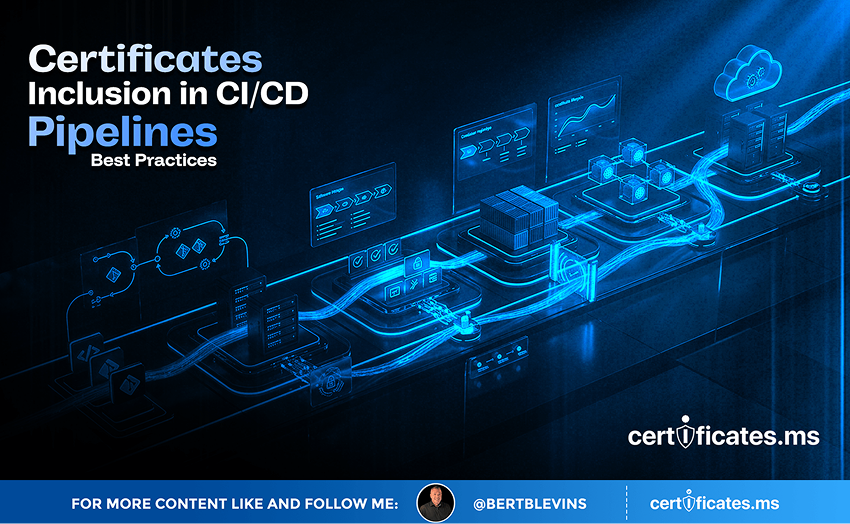
Certificate Inclusion in CI/CD Pipelines: Best Practices
Continuous integration and continuous deployment pipelines have become the place where a huge share of an organization’s software, infrastructure, and increasingly AI-driven services gets built and shipped. Certificates need to move through these pipelines securely and reliably, without becoming either a security liability or a deployment bottleneck. This article covers the best practices for handling certificates well inside CI/CD workflows.
Why Certificates Belong in the Pipeline Conversation
Modern deployments frequently provision infrastructure, configure services, and deploy applications entirely through automated pipelines, with little or no manual intervention. If certificate issuance and installation are not part of that same automated flow, they become the one manual step left in an otherwise fully automated process, which is exactly the kind of gap where certificates get forgotten, misconfigured, or deployed inconsistently across environments.
Never Hard-Code Private Keys in Pipeline Configuration
The single most important rule for certificates in CI/CD is that private keys and other sensitive certificate material should never be committed to a source repository or hard-coded into pipeline configuration files, even in a private repository. Pipeline configuration should reference secrets stored in a dedicated secrets manager or vault, injected into the pipeline at runtime, so that key material never sits in version control history where it could be exposed by a misconfigured repository, a compromised developer account, or simply an overly broad access grant.
Integrating With Secrets Managers and Vaults
Most CI/CD platforms offer native integration with secrets managers such as HashiCorp Vault, AWS Secrets Manager, or Azure Key Vault, allowing a pipeline to fetch a certificate and its private key securely at deployment time rather than storing them anywhere within the pipeline’s own configuration. This pattern also makes certificate rotation considerably simpler, since updating the certificate in the secrets manager automatically flows through to every pipeline run that references it, without needing to update pipeline configuration files directly.
Automating Issuance as Part of Infrastructure Provisioning
Infrastructure-as-code tools increasingly support requesting and provisioning certificates as part of standing up new infrastructure, whether through ACME-based automation, cloud-native certificate services, or integration with an internal PKI’s API. Building certificate issuance into the same infrastructure-as-code templates that provision servers, load balancers, and containers ensures every new piece of infrastructure gets a properly issued certificate automatically, rather than depending on someone remembering to request one manually after the fact.
Validating Certificates as Part of Deployment Checks
Mature CI/CD pipelines include automated checks that verify a newly deployed certificate is valid, correctly chained, not expiring imminently, and actually being served by the target endpoint, before marking a deployment successful. Catching a certificate problem at deployment time, when it can be rolled back automatically, is far preferable to discovering it later through a customer-facing outage, and this kind of validation step is a relatively small addition to a pipeline that already runs other automated post-deployment checks.
Pipeline Certificates for AI Model Deployment
A growing share of CI/CD activity now involves deploying AI models and the services surrounding them, from retraining pipelines to inference endpoints spun up and torn down as part of experimentation and scaling. These deployments benefit from the exact same discipline described above: certificates provisioned automatically as part of the deployment, private keys handled through a secrets manager rather than pipeline configuration, and validation checks confirming the deployed endpoint is properly secured before it starts serving traffic or handling requests from other services and agents.
The Countdown Is Already Running: 200 Days, 100 Days, 47 Days
Every certificate conversation in 2026 eventually arrives at the same clock, and it is worth closing on it here. The CA/Browser Forum’s Ballot SC-081v3 is not a proposal under discussion; it is an approved, already-in-motion schedule. Maximum public TLS certificate lifetimes fall from 398 days to 200 days on March 15, 2026. They fall again to 100 days on March 15, 2027. By March 15, 2029, they drop to just 47 days, with domain validation itself needing to be re-proven roughly every 10 days.
Translate that into operational terms and the picture gets stark quickly. An organization currently renewing certificates a few times a year will be handling renewal events on the order of every couple of weeks by the end of this countdown, across every endpoint it operates. Manual tracking, calendar reminders, and a spreadsheet somebody checks once a month will not survive contact with that cadence. What has always been an occasional chore is becoming a continuous, automated operation, whether an organization plans for it or not.
CI/CD pipelines that already automate infrastructure and deployment are the natural place to absorb the shrinking certificate lifetime schedule below, since issuance and renewal folded directly into an existing pipeline require no new manual process to keep pace as maximum lifetimes fall toward 47 days.
The 200-day, 100-day, and 47-day milestones are not distant hypotheticals; the first has already arrived. Organizations that build the automation loop now, generating keys, vaulting them securely, brokering issuance across Certificate Authorities through APIs, and rebinding certificates to live endpoints without manual intervention, will meet each deadline without disruption. Organizations that wait will be rebuilding their certificate operations under deadline pressure, with far less room for error and far less time to get it right. The countdown is the call to action. The only real decision left is whether to automate on your own schedule, or on the CA/Browser Forum’s.